For marketing
The pages you forgot were pages
Your changelog, roadmap and help articles are public and indexable whether or not anybody has ever thought about them as content. This tells you which ones search engines are actually fetching.
HomeSEO
Get startedYour changelog, help articles and roadmap are indexable pages whether or not anyone has thought about them. This tracks who actually fetches them — search crawlers and AI bots alike, the verified ones kept apart from the ones merely claiming — and holds the metadata and indexing controls for the whole portal.
Book a demo →AI crawlers too
The AI bots counted by name, beside the ordinary search ones.
Verified or claimed
Identity confirmed at the edge, or just asserted in a header.
One set of metadata
Defaults for the portal, overrides per page, indexing on a switch.
Who crawled
Two different questions, kept side by side. Which paths crawlers hit and how often — and separately, which pages a human actually landed on from a search engine, and which engine sent them. Over seven days, thirty, or ninety.
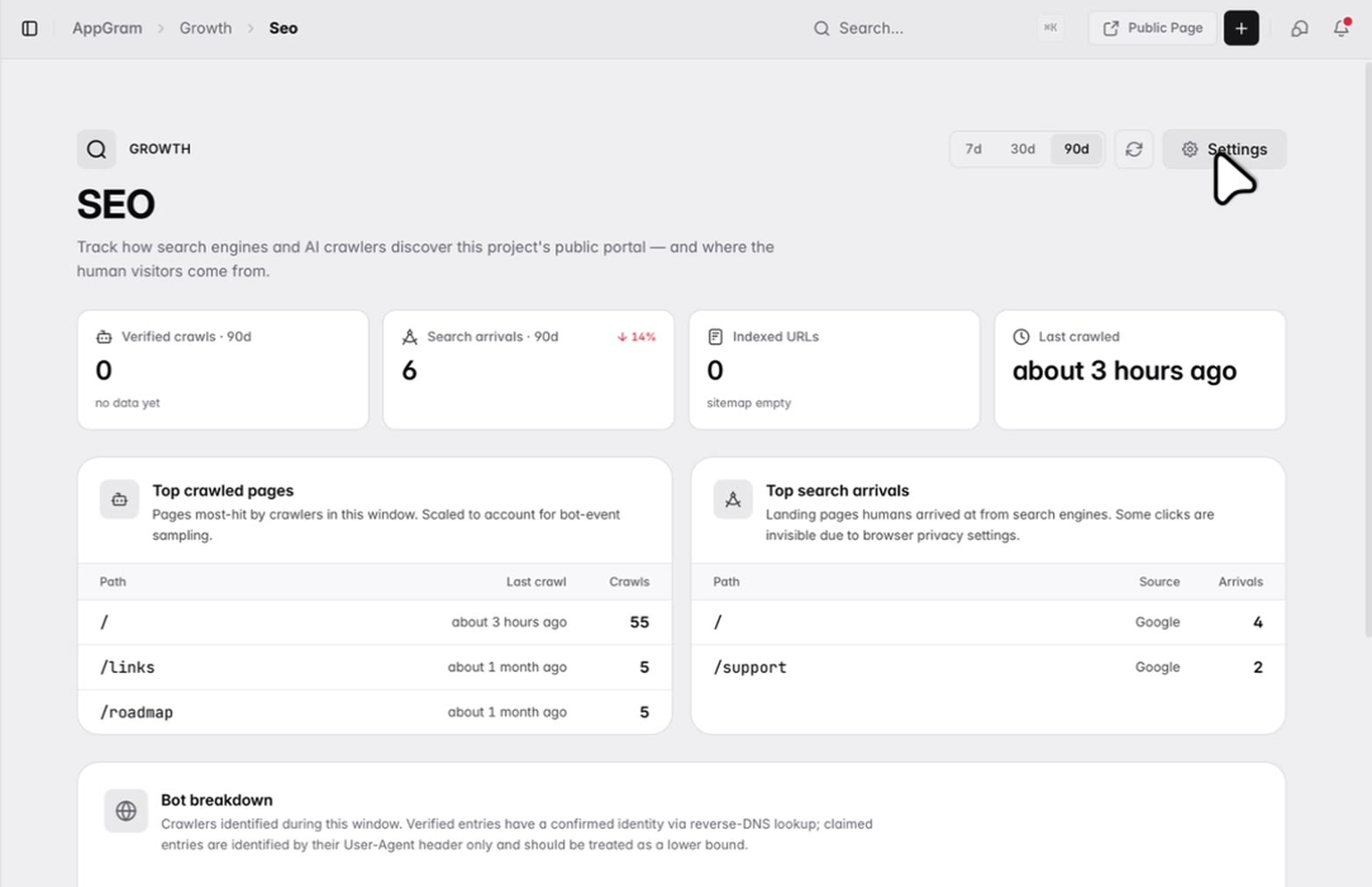
Verified or claimed
Anything can call itself Googlebot. The breakdown separates crawlers whose identity the edge network confirmed from the ones merely asserting it in a header, so a claimed number reads as the lower bound it actually is rather than as a fact you might act on.
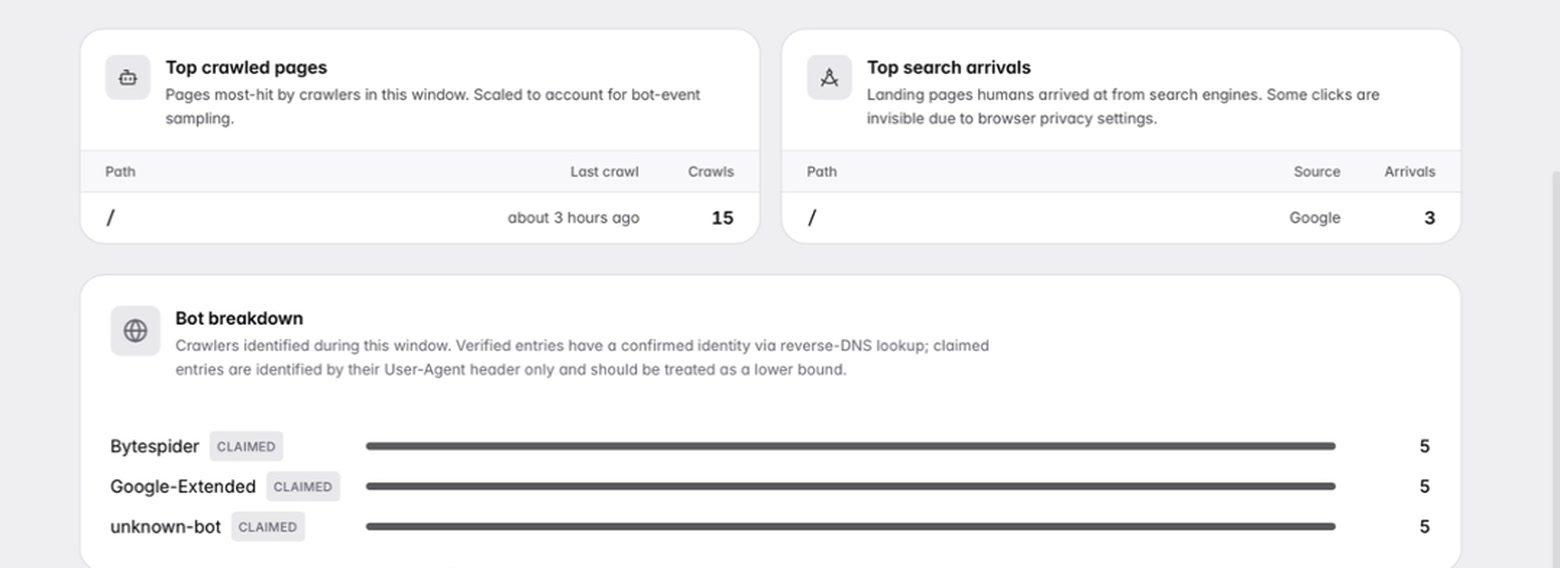
Indexing
One switch takes the whole public portal out of the index. A softer one emits noindex but leaves the sitemap working, which is what a staging project wants. Both say plainly what they do, and while either is on the page carries a warning — because an accidentally unindexed portal is not something you want to discover months later.
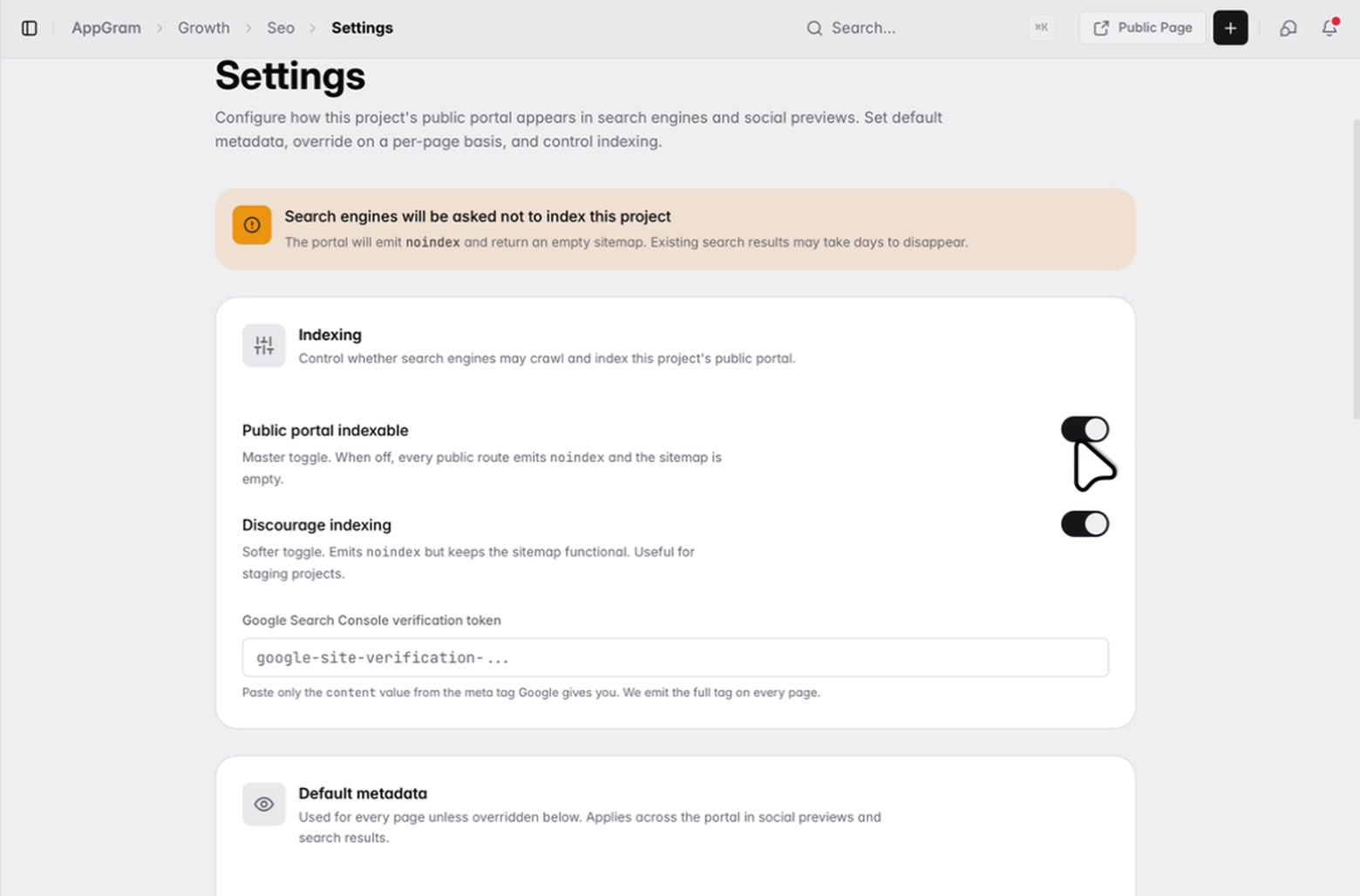
Metadata
A template with tokens for the page and the project, previewed against a real page while you type it, so every route gets a consistent title without anyone writing six of them by hand. A default description and social image underneath, and overrides for the pages that deserve their own.
Who uses it
For marketing
Your changelog, roadmap and help articles are public and indexable whether or not anybody has ever thought about them as content. This tells you which ones search engines are actually fetching.
For anyone watching AI
AI crawlers show up by name next to the ordinary search ones, and the ones that cannot prove who they are get labelled as claiming rather than quietly counted as fact.
For whoever owns the domain
A switch takes the whole portal out of the index, and individual routes can be excluded on their own. Neither is buried three menus deep, and the page tells you when one is on.
Connected
Every module writes to the same customer graph, so data captured here shows up wherever it is useful — no connectors to authorize, no sync to babysit.
See all integrations →AppGram modules
FAQ
Two things, deliberately kept apart. Crawler traffic — which paths bots fetched, how often, and when each was last crawled — and human search arrivals, meaning the pages people landed on from a search engine and which engine sent them. Both over a seven, thirty or ninety day window.
A crawler announces who it is in its user-agent header, and anything at all can put anything there. Verified entries have had that identity confirmed by the edge network against known crawler identities. Claimed entries have not, so they are labelled as such and their counts are treated as a lower bound rather than as truth.
Yes, and that is the part worth having. AI bots appear by name alongside the ordinary search crawlers, which is the only straightforward way to find out whether your public documentation is being read by them.
A master switch takes the whole public portal out — every route emits noindex and the sitemap returns empty. Individual routes can also be excluded on their own, for the pages you would rather keep out of search without hiding the whole portal. While either is on the settings page carries a warning rather than letting you forget about it.
No. You write one template with tokens for the page name and the project name and it renders across every route, previewed live against a sample page as you type. A default description and social image sit under it, and any page that deserves its own can be overridden individually.
Rendered pages are edge-cached for up to a day. Saving your settings purges automatically, and there is a manual purge for the case where the underlying article content changed rather than the settings around it.
Get started
Everything you were bolting together — feedback, roadmap, changelog, help, support, status, forms — in a single workspace with one API and one bill.
Cancel anytime. Yours to test on real customers.