For growth
Tell the people who asked
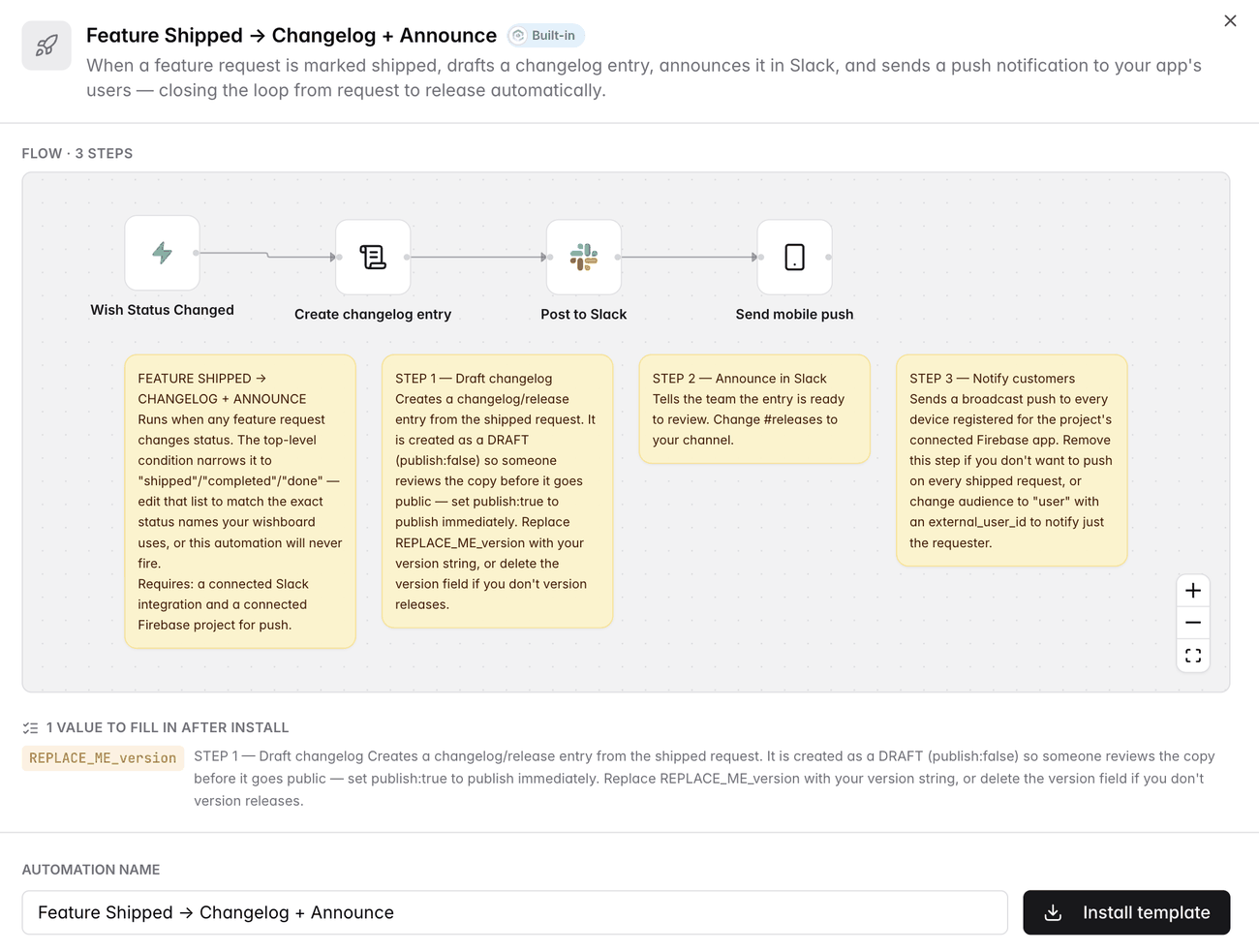
Everyone who voted for a feature hears about it the hour it goes out, in the app, in Slack and on their phone. The cheapest retention work there is, and the first thing to get dropped when a person has to do it.
HomeAutomations
Get startedA failed payment is churn if nobody chases it this week. A trial ending is revenue if somebody follows up, and lost if nobody does. Automations catch both the moment they happen, and because they run inside AppGram they can change the record itself: reply to the ticket, publish the incident, write the release note.
Book a demo →Private beta
Rolling out to organizations one at a time — request access to get on the list.
35 event types
Feedback, support, status, monitors, billing, forms, surveys, releases and affiliates.
Forty steps
Sixteen act inside AppGram. The rest reach Slack, email, Linear and any URL you like.
AI native
Describe the automation in a sentence and Build with AI assembles it on the canvas: the trigger, the condition, the classification step, the branch, the Slack post. Ask for a change and it rewrites the flow rather than starting over. Everything the builder can do is also exposed over MCP, so Claude Code, Claude Desktop or Cursor can do the same from wherever you already work.
The gap
It takes an afternoon of copy-paste, so it happens once and never again. An automation does it the moment the status changes, whether forty people asked or four thousand, and it costs you the same either way.
Build
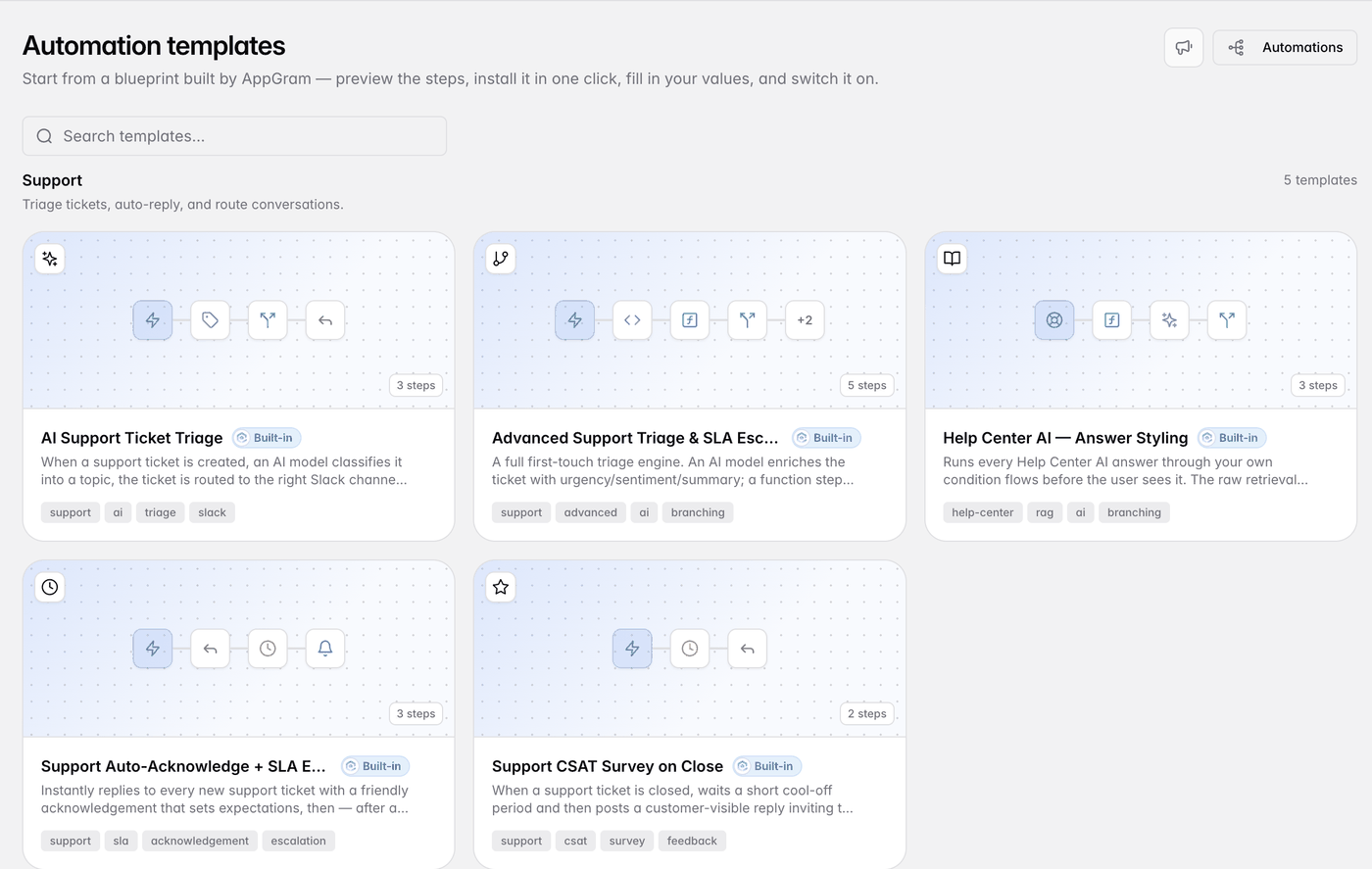
Drag steps around a canvas until the flow looks right. Open the catalogue and install a prebuilt one, which arrives switched off with a checklist of what it still needs. Or say what you want in a sentence and let Build with AI draft it, from the dashboard or from Cursor over MCP.
Act
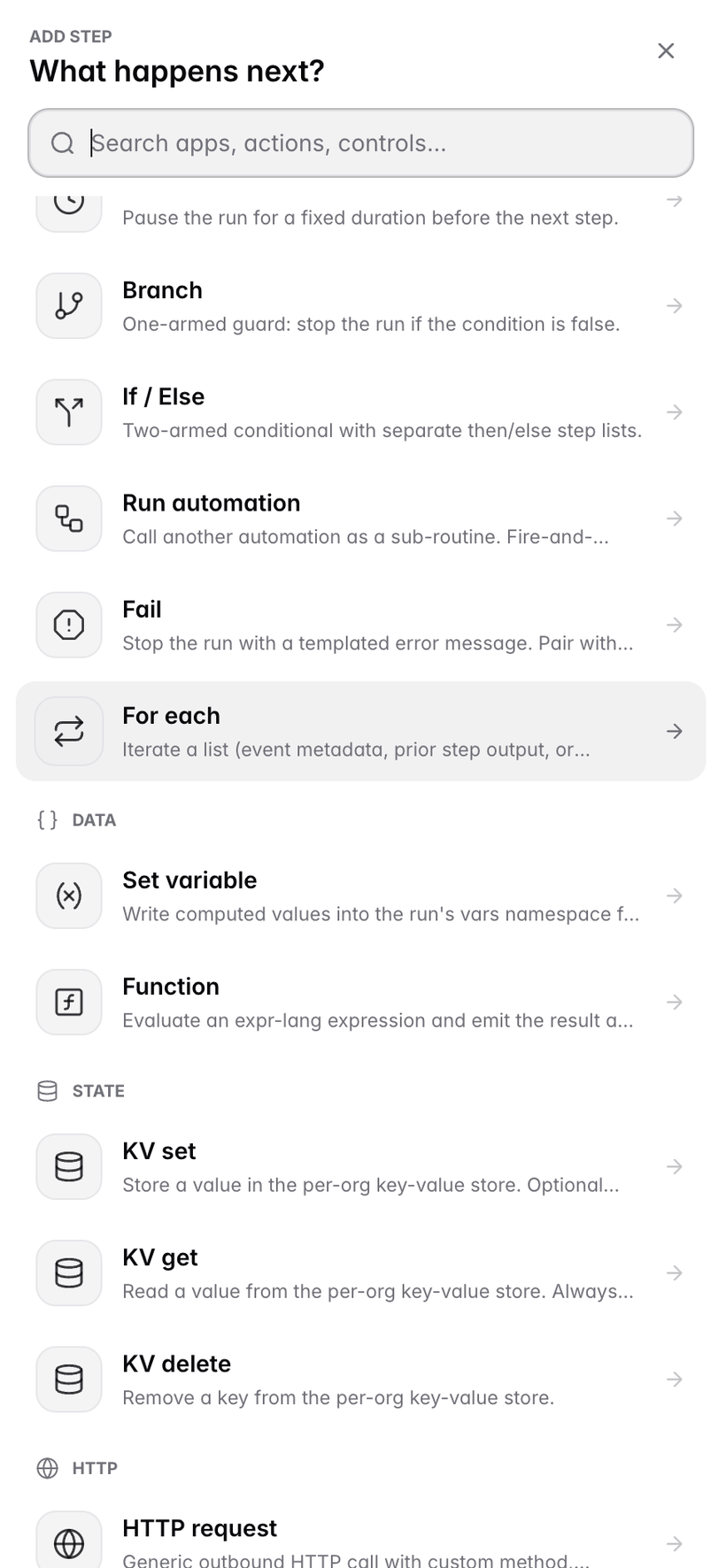
Most automation tools can only talk about your product from the outside. These file a feature request, reply to a ticket, publish a status incident, add a roadmap card, push to your app, write the changelog entry. The rest reach Slack, email, Teams, Telegram, Linear, any URL you like, and five AI steps that run on your own key.
Prove it
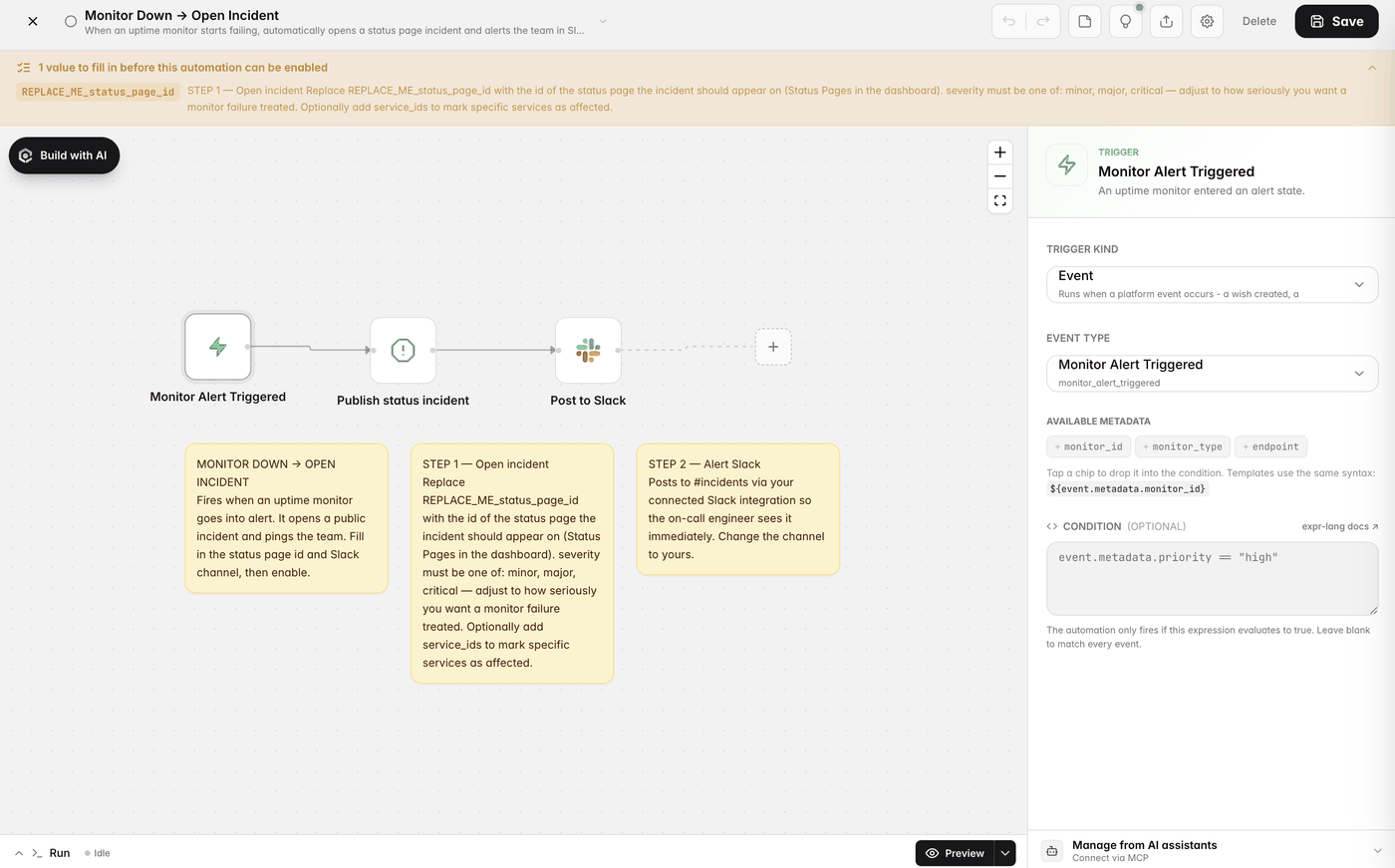
Preview walks the path a sample event would take without writing a row or sending anything. Simulate runs it for real and hands back a log of every step. Templates install disabled, and the builder holds them there until every placeholder is filled in.
Who uses it
For growth
Everyone who voted for a feature hears about it the hour it goes out, in the app, in Slack and on their phone. The cheapest retention work there is, and the first thing to get dropped when a person has to do it.
For revenue
A failed charge or an ending trial lands in Slack with the account attached, emails the customer and tags them for follow-up, while there is still a week to do something about it.
For support
A new ticket gets classified, answered from your own Help Center with the sources it used, and escalated when the answer is not there. Both halves arrive as templates.
Connected
Every module writes to the same customer graph, so data captured here shows up wherever it is useful — no connectors to authorize, no sync to babysit.
See all integrations →AppGram modules
FAQ
Four things. An event, picked from the catalogue AppGram fires across feedback, support, status pages, uptime monitors, billing, forms, surveys, releases and competitor intelligence. A cron schedule, down to the minute. Your own hand, for the flows you want full control over. Or an inbound webhook, where the automation gets its own URL and token and whatever gets posted becomes the event.
Around forty things. Sixteen act inside AppGram: create a feature request, change its status or category, comment on it, reply to a ticket, set its status or assign it, tag a user, raise an in-app notification, send a mobile push through your Firebase project, publish or update a status incident, pause and resume a monitor, add a roadmap card, write a changelog entry. Five reach a channel — Slack, Discord, Microsoft Teams, Telegram, transactional email — plus Linear issues. Five are AI: chat, classify, extract, translate, and a Help Center answer that returns the sources it used, all on an OpenAI-compatible model with your own key. The rest is plumbing: HTTP requests, signed webhooks, a key-value store, expressions, and flow control.
Both. Build with AI drafts the flow in the dashboard from a description. Over MCP, an assistant like Claude Code, Claude Desktop or Cursor talks to the same backend the builder does: it can read your automations, create one from a description, validate it, preview it against a sample event, simulate a real run and read the logs back. What the API key can reach is what the assistant can reach.
Preview is a dry run. It shows which path the engine would take and what each step resolves to, with no database writes, no outbound calls, and secrets redacted. Simulate then fires a synthetic event through the same matcher production uses and executes every step for real, so you can confirm the whole thing before enabling it. Templates install disabled, and the builder will not let you switch one on while placeholders remain.
The run stops there and is marked failed. Open it and the step logs show each step, its output, and the error that broke it, so diagnosis is reading rather than guessing. Every automation also carries a running tally of how many times it has run and how many of those failed.
Those tools sit outside your product and can only send messages about it. Automations run inside AppGram on data that is already there, so a step can move a feature request, reply to a ticket or open an incident directly. Nothing is copied into a third-party account, there is no connector to authorise, and for anything outside AppGram the HTTP and signed-webhook steps still get you there.
Get started
Everything you were bolting together — feedback, roadmap, changelog, help, support, status, forms — in a single workspace with one API and one bill.
Cancel anytime. Yours to test on real customers.