For product marketing
Every ship becomes a touchpoint
Turn the release note into an email and an indexable page on your own domain without briefing anyone or opening a second tool.
HomeReleases
Get startedOne editor publishes to a hosted changelog on your domain and an email announcement to your subscribers. Feature highlights, version numbers, and a REST API so a tagged deploy can publish the note itself.
Book a demo →Two surfaces
Hosted changelog and email announcement — written once.
Six labels
Feature, improvement, bug fix, maintenance, performance, announcement.
Publish from CI
Create and publish over the REST API from a tagged deploy.
Author
A rich editor with images, video and code from your asset library. Label the entry, describe what changed in a sentence and have the note drafted for you, then publish it to the changelog and out as an announcement in the same action.
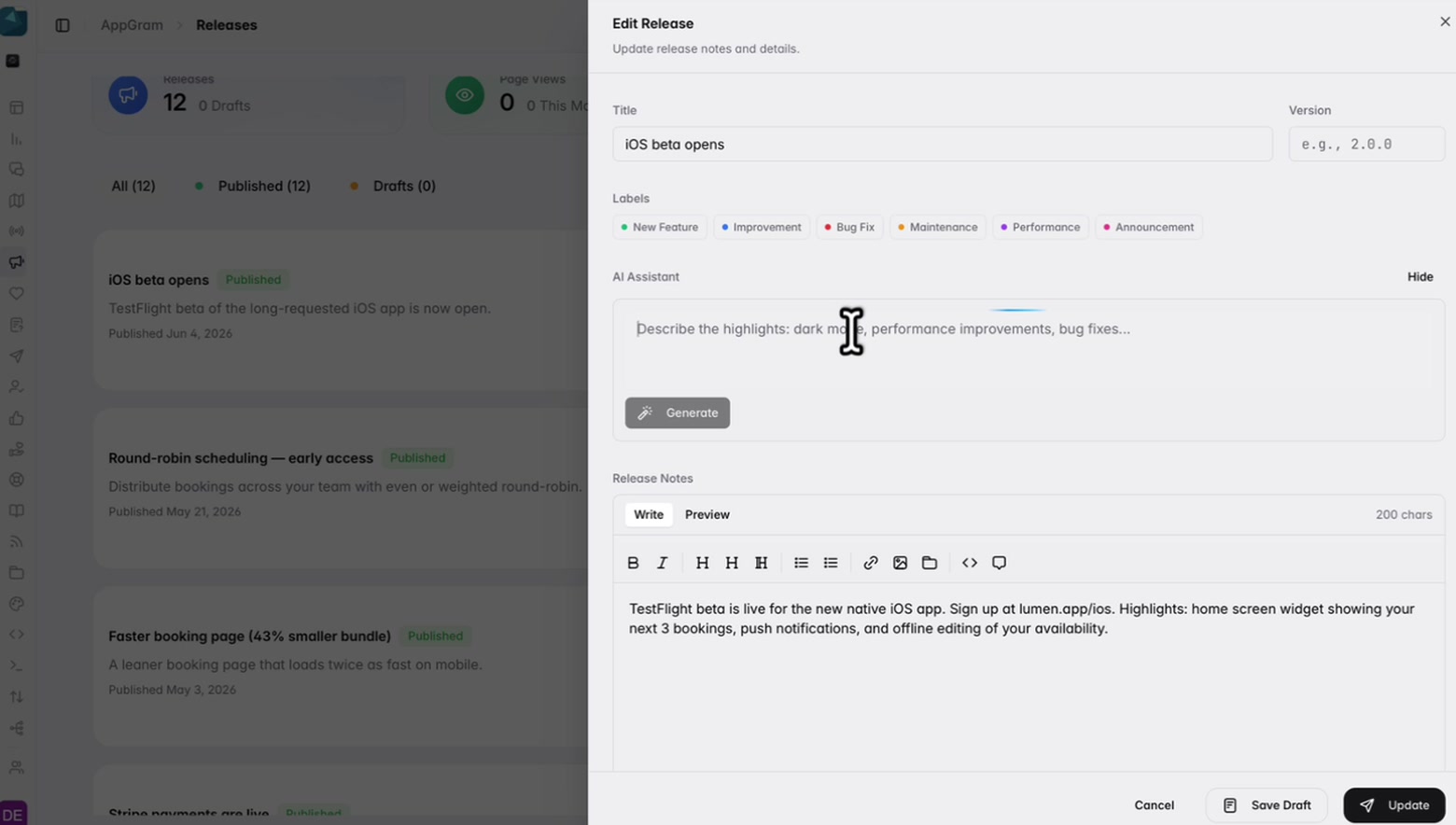
Highlight
The ones worth reading lead with the two or three things that actually changed. Add a highlight per feature, each with its own heading, its own explanation and its own image, and they publish as cards under the note rather than as another line of prose.
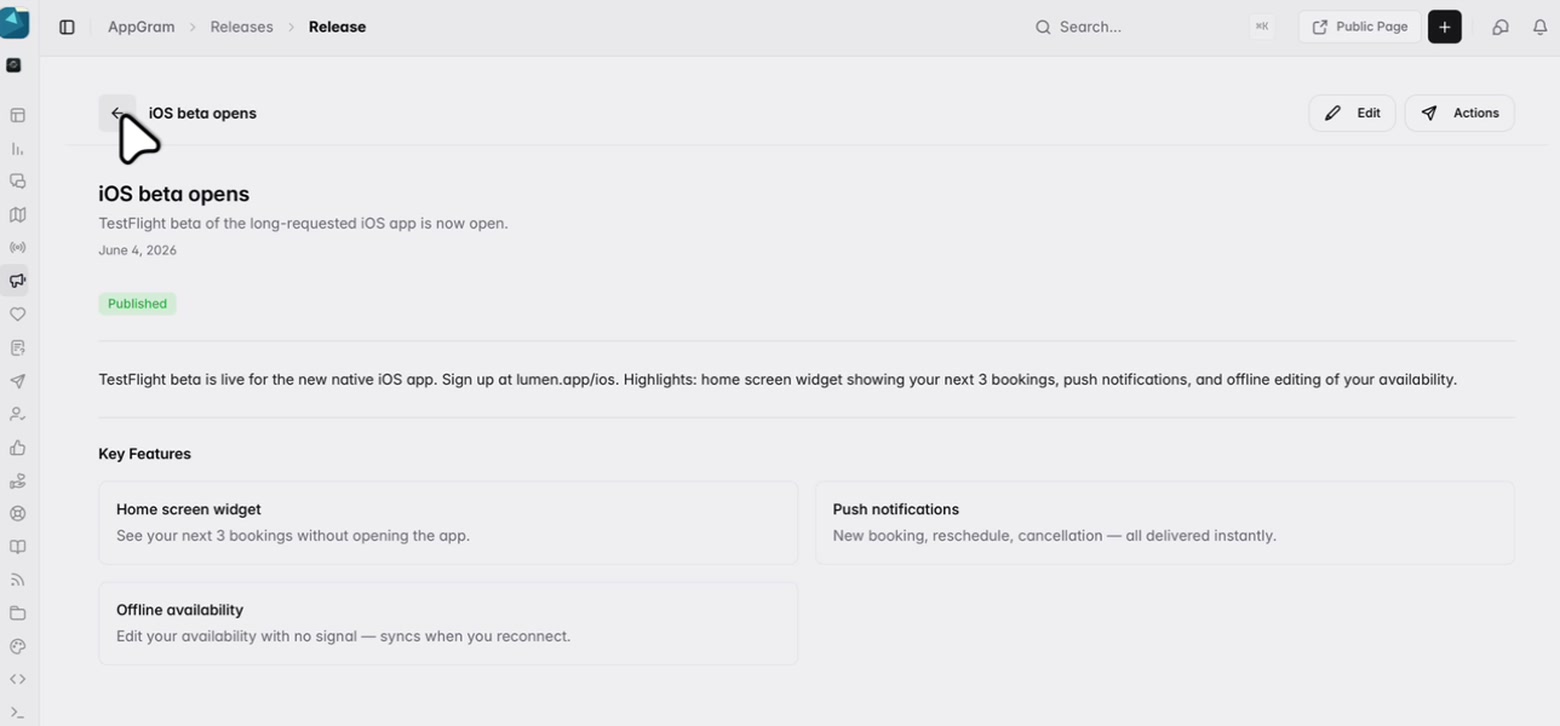
Notify
Publishing sends the announcement to your changelog subscribers, and you can narrow it with tags so a mobile-only release does not go to everyone. Each release decides its own channels, and the whole thing can be turned off for a quiet patch.
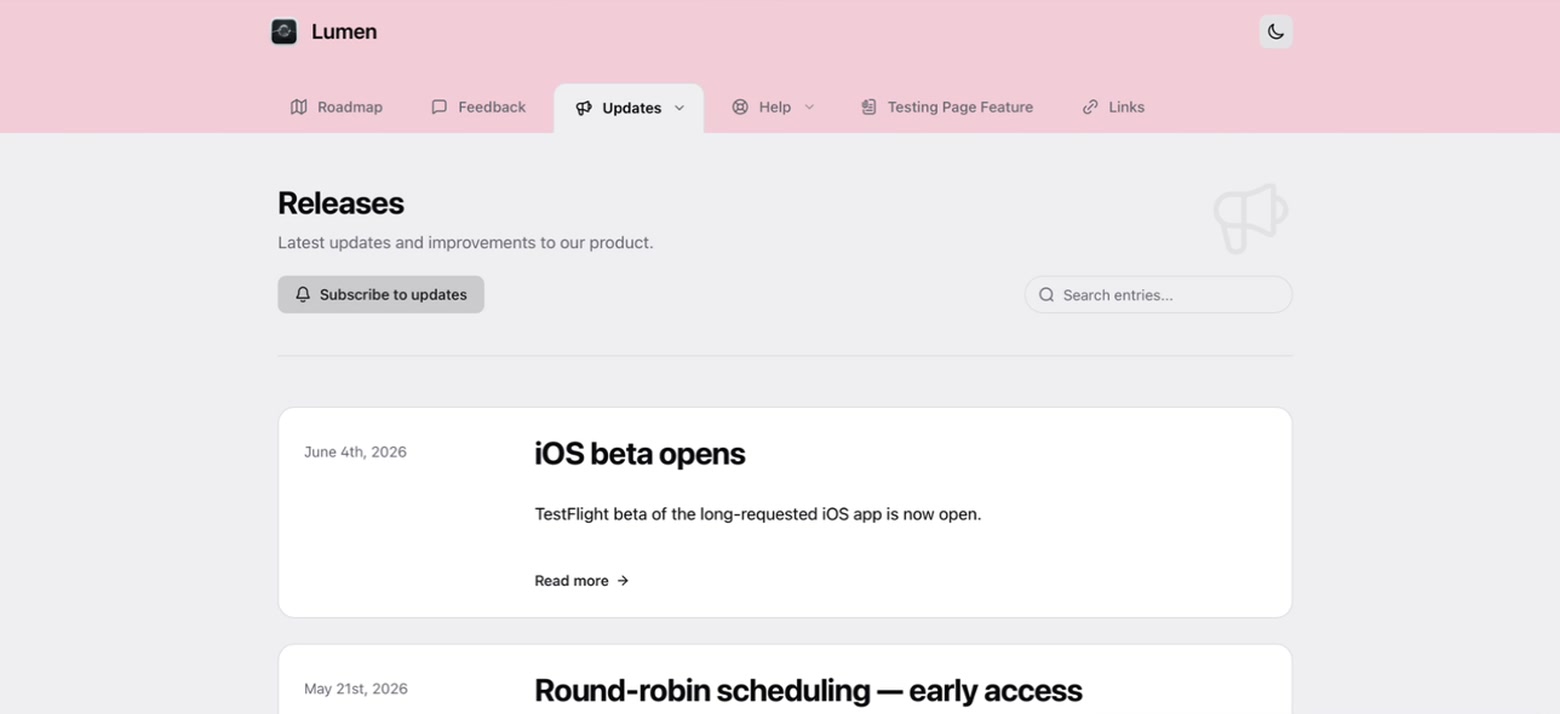
Measure
Most changelogs are published into the void. Views are counted per release so you can see which notes earned attention and which landed flat, with a delivery log for what was sent and a subscriber list you own.
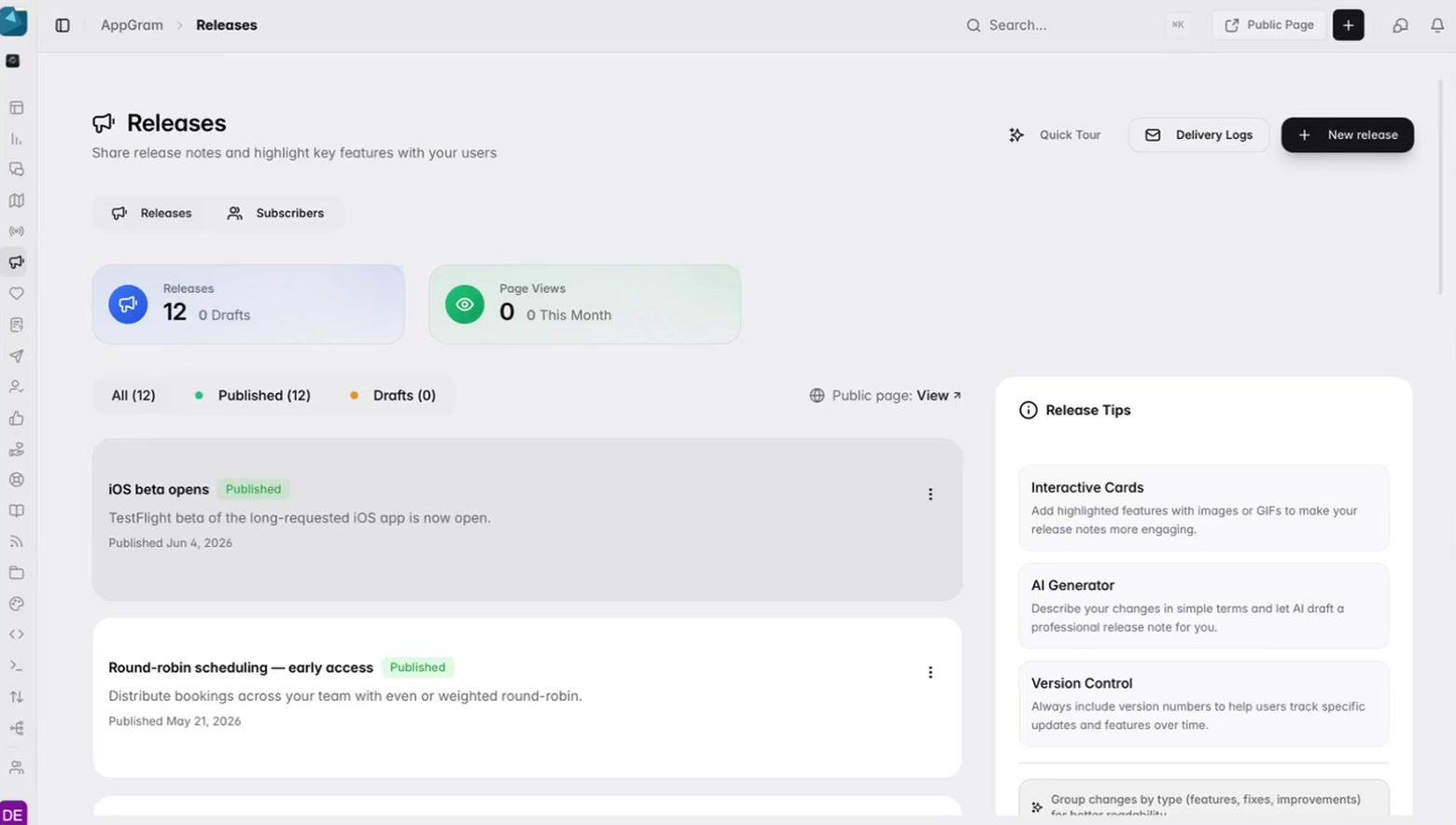
Who uses it
For product marketing
Turn the release note into an email and an indexable page on your own domain without briefing anyone or opening a second tool.
For support
A searchable, dated changelog on your domain answers version questions before they become tickets — and agents can link to the exact entry.
For customer success
Pull the year of releases over the API, filtered by label, and drop the list straight into a renewal deck.
Connected
Every module writes to the same customer graph, so data captured here shows up wherever it is useful — no connectors to authorize, no sync to babysit.
See all integrations →AppGram modules
FAQ
Yes. Releases are available over the REST API and the Swift SDK ships a releases view, so you can pull entries and render them in your own UI wherever it belongs.
Yes. Create and publish releases through the REST API, so a merged PR or a tagged deploy can push the note automatically. Drafts can also be queued for a human to review first.
Only if you want that. Send to all changelog subscribers or narrow it by subscriber tag, and turn the announcement off entirely for a quiet patch. Channels are decided per release.
Releases render as indexable pages on your own domain with a per-release SEO title, description, social image and noindex toggle. Sitemap entries are generated for published releases.
Get started
Everything you were bolting together — feedback, roadmap, changelog, help, support, status, forms — in a single workspace with one API and one bill.
Cancel anytime. Yours to test on real customers.